

Previous Project
The client contacted Neera Technologies after experiencing weak WiFi coverage and inconsistent network performance across different areas of their office. As the team grew, the existing network setup was no longer able to support their daily operations effectively.
Network & WiFi Solutions
Office
Johor
[Project Hero Image]
Industry
Professional Services / Office
Location
Johor
Service
Network & WiFi Solutions
Project Type
Network Assessment & WiFi Improvement
Project Scope
Network assessment, WiFi coverage review, access point planning, network configuration, installation and testing.
The client’s office network had been set up when the team was smaller and fewer devices were connected.
Over time, more employees, laptops, smartphones and other connected devices were added to the network. The existing WiFi setup started to struggle, especially in areas further away from the main router.
Some employees experienced weak signals, unstable connections and inconsistent speeds depending on where they were working.
This started to affect daily tasks such as online meetings, cloud-based work, file access and general internet usage.
Some areas of the office had a noticeably weaker WiFi signal.
Employees experienced unstable connections depending on their location.
The existing setup had to support more users and devices than it was originally designed for.
The solution needed to work around the current office layout and existing network infrastructure.
The client was not simply asking for “faster WiFi.”
They needed a more stable and practical network setup that could support their current team and everyday business operations.
Neera Technologies started by reviewing the existing network setup and understanding how the office was being used.
We looked at the location of the existing router and network equipment, areas with poor signal, device usage and the physical layout of the office.
Rather than adding equipment randomly, we planned the network based on where coverage and stability were actually needed.
The objective was to create a WiFi setup that supported the way the team worked throughout the office.
Based on the assessment, we recommended improvements to the office network and WiFi coverage.
Access points were positioned based on coverage requirements rather than convenience alone.
The network setup was adjusted to provide more consistent coverage across areas that previously experienced weak signals.
The system was configured to improve connectivity and provide a more stable experience for connected devices.
The network design also considered potential growth in users and devices so the client would not need to repeat the same upgrade too soon.
Poor WiFi is often blamed on internet speed, but the actual problem can come from multiple factors.
For this project, the main challenge was understanding whether the issue came from the internet connection, network equipment, access point placement or the office environment itself.
We had to identify which areas were experiencing weak coverage and how employees were using the network.
The office layout and physical obstructions had to be considered when deciding where to position network equipment.
The new setup had to be implemented without causing unnecessary disruption to the team’s work.
Coverage and connectivity had to be tested across different parts of the office to make sure the solution worked beyond the area closest to the router.
We reviewed the existing network equipment, office layout and common connectivity issues.
Areas with weak WiFi coverage were identified and suitable access point locations were planned.
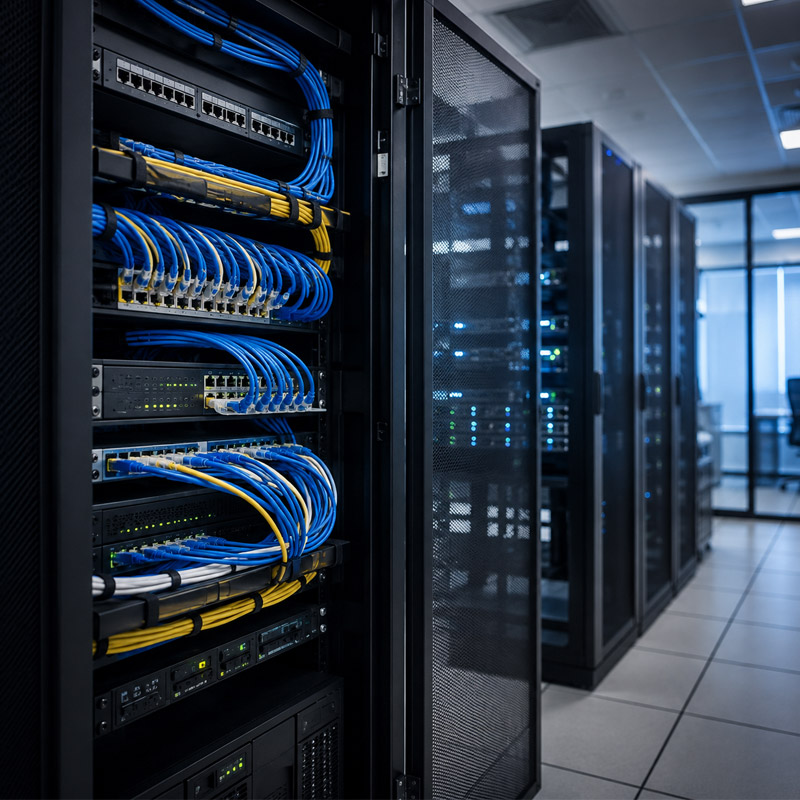
The required network equipment was installed and positioned based on the coverage plan.
The network was configured and tested across different areas of the office.
The client was briefed on the updated network setup and basic system operation.
[Gallery Image]
Existing network setup reviewed during the initial assessment.
[Gallery Image]
Access point positioning planned to improve WiFi coverage across the office.
[Gallery Image]
Network equipment installed and configured for improved connectivity.
[Gallery Image]
Final network setup after testing and optimisation.
The updated network setup provided more consistent WiFi coverage across the office and improved the overall experience for employees using connected devices.
Previously weak areas now receive more usable wireless coverage.
Employees have a more consistent connection across different parts of the office.
The updated setup is better suited to the number of users and devices connected during daily operations.
The network was planned with future growth in mind.
“[Insert actual client testimonial here.]”
— [Client Name / Company]
Hide this section if no genuine testimonial is available.
Slow or unstable WiFi does not always mean you need a faster internet package.
The real issue may be the way the network is designed, where the access points are positioned or how many devices the current setup is trying to support.
A proper network assessment helps identify the actual cause before deciding what needs to be upgraded.
Dealing with weak WiFi, unstable connections or poor coverage around your office?
Neera Technologies can assess your current network setup and recommend improvements based on your office layout, number of users and daily business requirements.
[Discuss Your Network Requirements]
[View Our Network & WiFi Solutions]
[Short description]
View Project →
[Short description]
View Project →
[Short description]
View Project →
Reliable network and WiFi solutions designed around your business environment and connectivity requirements.
Learn More →
Keep your business technology running with ongoing IT support and maintenance.
Learn More →
Practical support for everyday computer and workplace IT issues.
Learn More →